Most of us now juggle more than one AI assistant, and each one remembers a different slice of our business. Notion just offered to be the shared brain for all of them. Here is what that means, what to check first, and how to give your AI tools one memory you own.
By Warren Schuitema, AI Systems Consultant, Matchless Marketing / Matchless AI
Published: November 6, 2026 | Last Updated: November 2026

You know the paragraph. The one you keep typing into AI chats.
Who your clients are. How you price. What tone you write in. What you never say in public.
You type it into ChatGPT. Then into Claude. Then into Gemini, because you wanted a second opinion on a headline. Three assistants. Three copies of your business story. And by lunch, each one remembers a slightly different version of you.
If that sounds familiar, here is the short answer to the question in the title. You get ChatGPT and Claude to remember the same things by keeping your business memory in one place you own, then connecting each assistant to that one place. This week Notion made that easier for its users. If you live in Google Docs instead, you can build a simple version today with a single document.
The bigger point is who holds the memory. Keep it in a file you own, and every assistant you hire can read it. None of them can take it with them.
Key Takeaways
- This week Notion said ChatGPT, Claude, Meta's Muse, and Bot "can save what they learn to the same memory and use the same skills in Notion." The connection runs through Notion MCP.
- The average AI user now uses 3.0 general AI assistants, up from 2.2 a year ago, according to Menlo Ventures' 2026 consumer AI survey of 5,067 U.S. adults.
- Two out of three U.S. small businesses (66%) now use AI, per the U.S. Chamber of Commerce's 2026 report.
- Third-party guides quoting Notion's help documents say its MCP tools act with your full Notion permissions, so decide what each assistant can see before you connect it.
- You do not need Notion to start. One shared "business memory" document, kept current and pasted or connected into each assistant, gets you most of the benefit this week.
Notion Just Offered to Be the Shared Brain for Your AI Tools
This week, Notion posted a short announcement on X: "Give all your agents one shared brain in Notion. Now, ChatGPT, Claude, Muse, and Bot can save what they learn to the same memory and use the same skills in Notion."
On November 5, CEO Ivan Zhao published an essay called "The Next Era of Notion." His summary line was plain: "Notion is the best context system for every agent on the planet, and our own agents keep that context up to date for people and other agents."
It connects through MCP. MCP stands for Model Context Protocol. Think of it as a universal plug that lets an AI assistant read and write in another app. On October 19, Notion said it overhauled its MCP "so your favorite agents can use Notion as a shared brain," and added, "Memory sync is live today, with skills via MCP coming soon."
There is a setup guide your assistant follows. Notion's developer site has a setup prompt that walks your assistant through creating an operating guide page and a private Memories database. It says it "won't touch anything without your permission." It also says something I wish every AI company said out loud: "Context becomes more valuable as it compounds. When you store it in Notion, it belongs to the user."
There are guardrails, and there are gaps. Notion's October release says admins "can see who connected each AI tool, check when it was last used, and revoke a person's access without affecting other connections." That is good. What I could not find in Notion's own pages was a clear price or a clear list of which plans get the full memory and skills features. Some third-party coverage says parts of it are tied to Business and Enterprise plans. Check your own plan before you count on it.
Zhao also wrote that Notion's "MCP volume is up roughly 60x this year." That is the company's own figure. Read it as a signal of where Notion is heading.
Most of Us Now Use Three AI Assistants, and None of Them Talk to Each Other
We use three assistants on average. Menlo Ventures surveyed 5,067 U.S. adults for its "2026: The State of Consumer AI" report, published September 16. Among AI users, 96% used a general AI assistant this year. And "the average user now uses 3.0 general AI assistants, up from 2.2 a year ago." The report says usage across assistants "adds up to more than 150%, as consumers increasingly use more than one."
Among AI users, Menlo found 60% use ChatGPT, 58% use Gemini, and 20% use Claude.
People mix and match on purpose. Rize, a company that makes time-tracking software, looked at desktop activity from more than 50,000 users across 40 countries. Its June 2026 write-up said, "Most knowledge workers do not use a single AI tool," and "The ChatGPT + Claude pairing is the most common by far." That is Rize's tracking data from its own customers, so treat it as a snapshot. It still matches what I hear from owners.
Small businesses are in the same boat. The U.S. Chamber of Commerce's 2026 Empowering Small Business report surveyed 3,732 small businesses in July and August 2026. It found 66% now use AI, up from 58% in 2025 and 23% in 2023.
Put those together. Two out of three small businesses use AI. The typical AI user runs about three assistants. And each assistant keeps its own private notebook about you.
That is a lot of notebooks. None of them are yours.
Re-Explaining Your Business Is Costing You Real Hours
Every time you switch assistants and start over, you pay a small tax. You paste in your background. You remind it of your tone. You fix the thing a different assistant already learned.
Researchers have measured how much that kind of switching costs. In a 2022 Harvard Business Review study, Rohan Narayana Murty, Sandeep Dadlani, and Rajath B. Das followed 137 people on 20 teams across three Fortune 500 companies. They found workers "toggled roughly 1,200 times each day," which added up to "just under four hours each week reorienting themselves after toggling." That was roughly 9% of their time at work.
That study measured switching between apps. The lesson still carries over. Every switch has a restart cost, and it goes up when the tool you switch to has forgotten who you are.
For a parent running a business from home, those minutes come out of nap time, or the hour after school pickup. Four hours a week is a whole evening.
Your Business Memory Belongs in a File You Own
Here is my take, and it is the reason I wanted to write this one.
The real news this week is bigger than Notion. The news is that a major software company said out loud what small business owners should have been doing all along. Keep your context in your own house. Let the AI tools visit.
In manufacturing, where I spent 16 years, a shift change works because of the handoff log. The night crew reads what the day crew wrote down. Machine settings. Open issues. The part that keeps jamming. Anyone who walks in can pick up the work.
Your AI assistants need the same thing. A handoff log. One place that says who you are, who you serve, how you sound, what you have decided, and what is in progress.
I call this the One Notebook Rule. Every AI tool in your business reads from the same notebook, and you own the notebook.
Follow it, and three good things happen:
- Switching gets cheap. If a new assistant comes out next month that is better at writing, you hand it the notebook. Day one, it knows your business.
- Your answers line up. ChatGPT and Claude stop giving you two versions of your own pricing, because they are both reading the same page.
- Nobody can hold your memory hostage. If a tool raises its price or shuts down, your context stays put.
Tools change fast. Your business story should not have to change with them.
Can ChatGPT Make Your Small Business Product Photos and Holiday Graphics Now? shows how to keep product photos and brand details consistent when AI builds your holiday graphics.
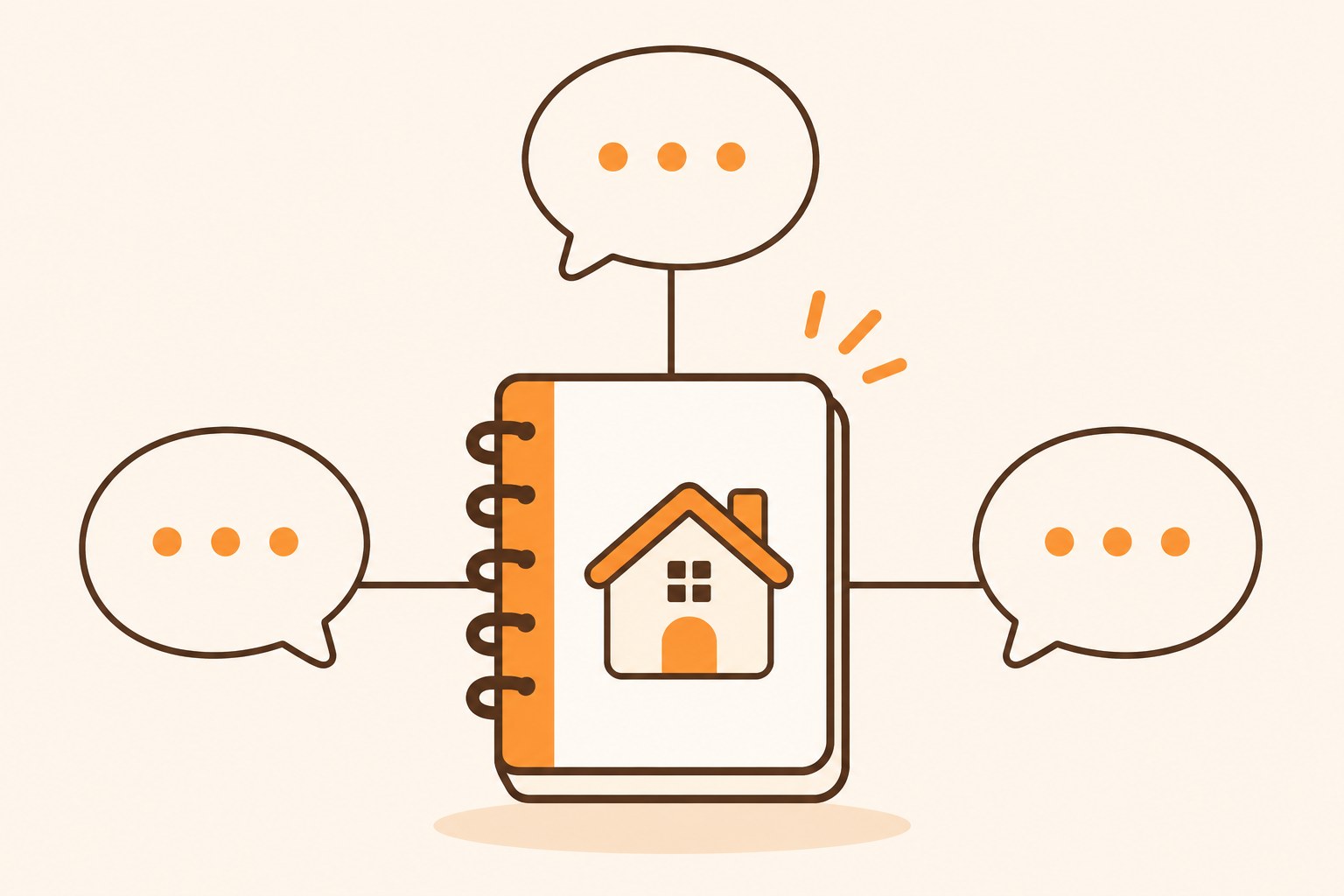
How My AI Workforce Shares One Memory
I run my own business this way.
Matchless Marketing runs day to day with a workforce of AI agents. Each one has a name, a written job description, and a single lane. One drafts content. One handles admin. One keeps the numbers. The article you are reading right now started in that system. An agent did the research and the first draft, and I get the final word before anything goes out.
What makes it work is a shared memory folder in Google Drive. It holds a main memory file with the facts every agent needs, a decisions log with the newest calls at the top, a state document for each role, and short recaps of each work session.
Every time an agent starts work, it reads those files first. Every time it finishes, it writes back what changed. If I switch the AI model underneath an agent tomorrow, nothing is lost. The memory lives in my Drive, where I can read it, fix it, and keep it.
I did not wait for a vendor to build this. I built it with folders and plain documents, the same tools most of you already pay for.
The same idea shows up at home. My Digital Wall Calendar replaced a $50 a month family calendar subscription. The bigger win was what it ended: the nightly "what does tomorrow look like" conversation. Now everyone in the house looks at one place. One source of truth. Fewer repeats. More evenings back.
My Weekly Meal Planner works the same way. It replaced HelloFresh and ended our Sunday planning spiral, because the plan lives in one system the whole family can see.
Your AI tools are new members of the household. Give them one calendar to read.
What to Check Before You Hand Over Your Business Memory
Notion's move is promising. It still deserves a careful look before you connect three assistants to your whole workspace.
Your assistants get your permissions. Third-party coverage quotes Notion's help documentation as saying MCP tools "act with your full Notion permissions." Confirm that in Notion's help center for your setup. If it holds, whatever you can see, a connected assistant can see too. That includes the client folder and that half-finished note about a refund dispute. Move anything sensitive out of reach first.
No passwords in memory, ever. Notion's setup guide says it plainly: "Never store credentials or secrets." Follow that rule in every tool. A business memory file should hold your story, your tone, and your decisions. Never your logins.
The same rule applies to money. Let AI read and explain, but keep the spending with a human. I wrote about where that line falls for bank accounts in Should You Let AI Read Your Bank Account?.
Plans and prices are not fully clear yet. I could not find a price in Notion's announcement. Check what your plan includes before you build around it.
Memory you never read goes stale. An AI that writes to memory on its own will also save things you did not mean to keep. Read your memory page once a week, the way you would skim a shift log. Delete what is wrong. Fix what changed.
If you want a deeper look at how much to let any AI decide for you, I wrote about that in is your AI assistant quietly making your business decisions for you.
Which Setup Fits Your Business Right Now
You do not need to rebuild anything this week. Pick the setup that matches where you already work.
If your business already lives in Notion, test the new shared memory with one assistant first. Connect it, run Notion's setup guide, and let it build the operating guide and Memories page. Use it for a week before you connect a second assistant.
If your business lives in Google Docs, Word, or a notes app, make one document called "Business Memory." Keep it to one or two pages. Paste it into the custom instructions or project settings of each assistant you use. When something changes, update the document first, then re-paste it. It is simple, and simple is what you will actually keep up.
If you only use one AI assistant, still write the document. The day you switch, you will be glad you did.
Here is a quick example to make it concrete. This is a made-up business, not a client story.
Picture a mom who sells handmade candles online from her garage. She uses ChatGPT for product descriptions and Claude for customer emails. One week, ChatGPT says her candles burn for 40 hours. Claude tells a customer 50. Neither was ever told. So she writes a one-page Business Memory doc: burn times, shipping rules, refund policy, her tone ("friendly, short, no exclamation points"), and three phrases she never uses. She pastes it into both. The next week, both give the same answers, and she spends Thursday night on new scents instead of fixing emails.
That is the whole game. One page. Every assistant. Updated by you.
7 Steps to Give Your AI Tools One Shared Memory This Week
- List every AI assistant you touched this month. Check your phone and your browser. ChatGPT, Claude, Gemini, Copilot, Meta AI, the one built into your email. Write them all down.
- Write a one-page Business Memory document. Who you serve, what you sell and what it costs, how you sound, words you never use, current priorities, and standing rules (like "never promise a delivery date"). Keep it short enough to fit in any assistant's custom instructions.
- Add a short decisions log at the bottom. Each time you make a call that an assistant should know, add one dated line. Newest at the top. Example: "Nov 6: We no longer offer rush shipping."
- Load the same document into each assistant. Paste it into ChatGPT's custom instructions or a Project, Claude's Project instructions, and Gemini's Gem instructions. If you use Notion and your plan supports it, connect one assistant through Notion MCP instead and point it at the page.
- Keep secrets out. No passwords, account numbers, client health details, or private customer data. If you would not tape it to your fridge, it does not go in the memory file.
- Test with one question to all of them. Ask each assistant the same thing, like "What is our refund policy, and how would you explain it to an upset customer?" If the answers match your document, you are done. If not, fix the document first.
- Set a weekly 10-minute memory review. Same time each week. Read the document, update what changed, delete what is wrong. Ten minutes keeps every assistant current.
Frequently Asked Questions
Can ChatGPT and Claude share the same memory?
Not directly. Each assistant keeps its own memory. But both can read the same source. Notion now lets ChatGPT, Claude, and other agents save to and read from one shared memory through Notion MCP. Without Notion, you can paste the same business memory document into each assistant's custom instructions or project settings.
What is Notion's shared memory for AI agents?
It is a way for outside AI assistants to read and write to your Notion workspace through Notion MCP. A setup guide helps your assistant create an operating guide page and a private Memories database. Notion said this week that ChatGPT, Claude, Muse, and Bot can save what they learn to the same memory and use the same skills.
Is it safe to connect AI assistants to my Notion workspace?
It can be, if you set it up with care. Third-party guides quote Notion's help documents as saying MCP tools act with your full Notion permissions, so a connected assistant may see what you see. Move sensitive files out of reach first, never store passwords in memory, and use admin controls to revoke access you no longer need.
What should go in a business memory document for AI?
Put in what every assistant needs to work like a teammate. Include who you serve, what you sell and your prices, your tone of voice, words you avoid, your current priorities, standing rules, and a short dated log of recent decisions. Leave out passwords, account numbers, and private customer details. Keep it to one or two pages.
Do I need Notion to give my AI tools one shared memory?
No. Notion makes it easier if you already use it, but a single Google Doc or Word file works. Write one business memory document, paste it into each assistant's custom instructions or project settings, and update it weekly. The key is that you own the document, so you can switch AI tools anytime without starting over.
One Notebook, Every Assistant
Remember that paragraph you keep typing into every AI chat?
In my business, it lives in one place. Every agent reads it before it starts work. When something changes, I change it once.
That is what Notion is selling this week, and I am glad a company that size is saying it out loud. Your context belongs to you. A plain document and ten minutes a week will get you most of the way there.
So this week, count your assistants. Write your one page. Load it everywhere. Ask them all the same question and see if they finally agree.
Then ask the question I ask about every system in my business and my home. Is it giving me back Time, Money, or Energy?
Time, because you stop re-explaining yourself. Money, because you can switch tools without losing what you built. Energy, because you stop being the only place your business story lives.
Let the AI tools come and go. Keep the notebook. That is A Better Way.
Keep Learning
- Should Your Small Business Use the Free AI Tools Your Bank Is Offering? The four questions to ask any new AI supplier, including whether you can leave with your work.
- Is Your AI Assistant Quietly Making Your Business Decisions for You? Where to draw the line on what AI decides.
- How Do You Keep AI Usage Charges From Surprising Your Small Business? Simple limits so more assistants do not mean a bigger surprise bill.
- Should You Let AI Chase Your Unpaid Invoices and Close Your Books? The guardrails that make it safe to hand real work to AI.
About the Author
Warren Schuitema is an AI Systems Consultant with Matchless Marketing and Matchless AI. He spent 16 years in manufacturing and supply chain, where good shift handoffs ran on written logs. He builds AI systems the same way. His business runs day to day on a workforce of AI agents that all read from one shared memory he owns, and nothing goes out without his yes. At home, his Digital Wall Calendar replaced a $50 a month subscription and his Weekly Meal Planner replaced HelloFresh. He helps small business owners and parent entrepreneurs build practical AI systems that give back Time, Money, or Energy, and he is a partner in the Goal Achievers Summit.