ChatGPT now lets you lock single chats behind a PIN or Face ID. For parent entrepreneurs who share a laptop or tablet with the kids, that is a real help. Here is what the lock does, what it leaves wide open, and the simple system I would use instead of trusting one button.
By Warren Schuitema, AI Systems Consultant, Matchless Marketing / Matchless AI
Published: October 26, 2026 | Last Updated: October 2026

Picture the family iPad on a Tuesday night.
Your daughter grabs it for a homework question. She opens ChatGPT, because that is where the answers live now. And right there in the sidebar, under her math problem, sits your chat from this afternoon. The one where you worked out what to charge a new client. Or the one where you asked how to handle a late invoice from a customer she knows by name.
Nothing bad happened. But you feel it in your stomach anyway.
On October 20, 2026, OpenAI started rolling out a fix for that exact moment. It is called locked chats. You can lock any single ChatGPT conversation behind a four-digit PIN, or Face ID or Touch ID on a supported phone. Locked chats disappear from your regular history and search. They wait in their own folder until you take the lock off.
So, how do you keep your business ChatGPT chats private on a shared family device? Lock the sensitive ones, yes. That keeps them away from the people in your house. But the lock does nothing about what OpenAI stores, and it will not stop you from typing things that should never go into a chat in the first place. Real privacy comes from three things working together: a lock for the household, the right settings for your data, and a short list of what never goes in at all.
Key Takeaways
- ChatGPT locked chats hide single conversations behind a four-digit PIN or device login, and they are rolling out to Free, Go, Plus, Pro, Business, Enterprise, and Edu users.
- The lock protects you from people in your house. It does not add end-to-end encryption or change how OpenAI keeps your data.
- If you forget your PIN and reset it, every locked chat is deleted for good. OpenAI Support cannot get it back.
- Most of the risk sits in what you type. A large 2025 survey found 57% of enterprise AI users admit putting sensitive information into public AI assistants.
- Use the lock for the house, the settings for your data, and a short "never type" list for everything else. Then test it: does it give you back Time, Money, or Energy?
The Family Device Is Also the Office Now
If you run a business from home, you already know this. The line between the work computer and the family computer is thin. Sometimes it is not there at all.
The numbers back that up.
Kids are on our devices all the time. In an October 2025 report, Pew Research Center found that about eight in ten parents of kids ages 5 to 10 say their child uses a tablet. Yet only about a quarter of parents with a child 12 or younger (23%) say that child has their own smartphone. Do the math on that gap. A lot of those kids are using a device that belongs to Mom or Dad.
And kids are starting to use AI chatbots. The same Pew report found that about one in ten parents of kids ages 5 to 12 say their child uses AI chatbots like ChatGPT or Gemini. For kids ages 11 to 12, it was 15%.
So the AI app on the shared device is no longer just yours. Your kids may be in it too. And every app keeps a history.
I am The AI Dad. A lot of my systems start at home before they ever reach a client. So I want to be clear about the goal here. This is about keeping kids out of client details, and keeping your money talk away from little eyes. Nobody is hiding anything shady. It is the same reason you do not leave a client's file open on the kitchen table.
Here Is What OpenAI Actually Launched
Let me lay out the facts as OpenAI's help pages and the early news reports describe them.
How it works. You open a chat, tap the three-dot menu, and choose Lock chat. ChatGPT asks you to create or enter a four-digit account PIN. On supported phones you can use Face ID, Touch ID, or your device login instead. The chat then moves to a folder at Projects, then Locked chats.
What it hides. Locked chats come out of your regular history and your search results. You can still open them. You just have to get past the PIN or face check first.
Who gets it. The rollout is gradual. It covers Free, Go, Plus, Pro, Business, Enterprise, and Edu users on the web, iPhone, Android, and the Windows and Mac desktop apps. On a computer, you need the newer ChatGPT desktop app.
What cannot be locked. Temporary chats, archived chats, and group chats. Chats started from a shared link. Chats with scheduled tasks. Chats with meeting recordings.
What a locked chat cannot do. You cannot pin, archive, move, or share it. But anyone who opens it can still copy what is inside.
Memory works differently. AI Weekly reported that locked chats get their own memory. OpenAI says it "doesn't transfer to regular conversations." So a detail from a locked chat should not pop up in your kid's homework chat later. One catch: anything ChatGPT already remembered before you locked the chat stays remembered.
Shared links stay live. Gulf News reported that locking a chat does not cancel a share link you made earlier. You have to delete that link yourself.
For a home with kids on the iPad, that solves a real problem in about four taps.
The One Detail That Can Cost You Everything
Now slow down. There is one line in OpenAI's rules that every busy parent needs to read twice.
If you forget your PIN and reset it, ChatGPT deletes every locked chat. Business Today, reporting on OpenAI's help page, said the reset also removes memories stored only in locked chats and files protected only by the old PIN. It cannot be undone. OpenAI Support cannot get it back.
Changing your PIN while you still know the old one is fine. Your chats stay. Forgetting it is the problem.
Think about what that means for a business owner. The chats you are most likely to lock are the important ones. The pricing work. The proposal draft. The notes on a hard client conversation. Those are the exact chats you lose if a four-digit number slips your mind on a tired Thursday.
So here is my rule. A locked chat is a safe for the moment. Your filing cabinet lives somewhere else. If something in a locked chat matters, copy the final version out to where your business records live. Your proposal goes in your proposal folder. Your pricing notes go in your pricing doc. Treat the chat like scratch paper you happen to keep in a drawer.
A Lock Keeps Out Your Kids. It Does Not Keep Out the Internet.
Here is my take, and it is the one idea I want you to keep.
There are two kinds of private.
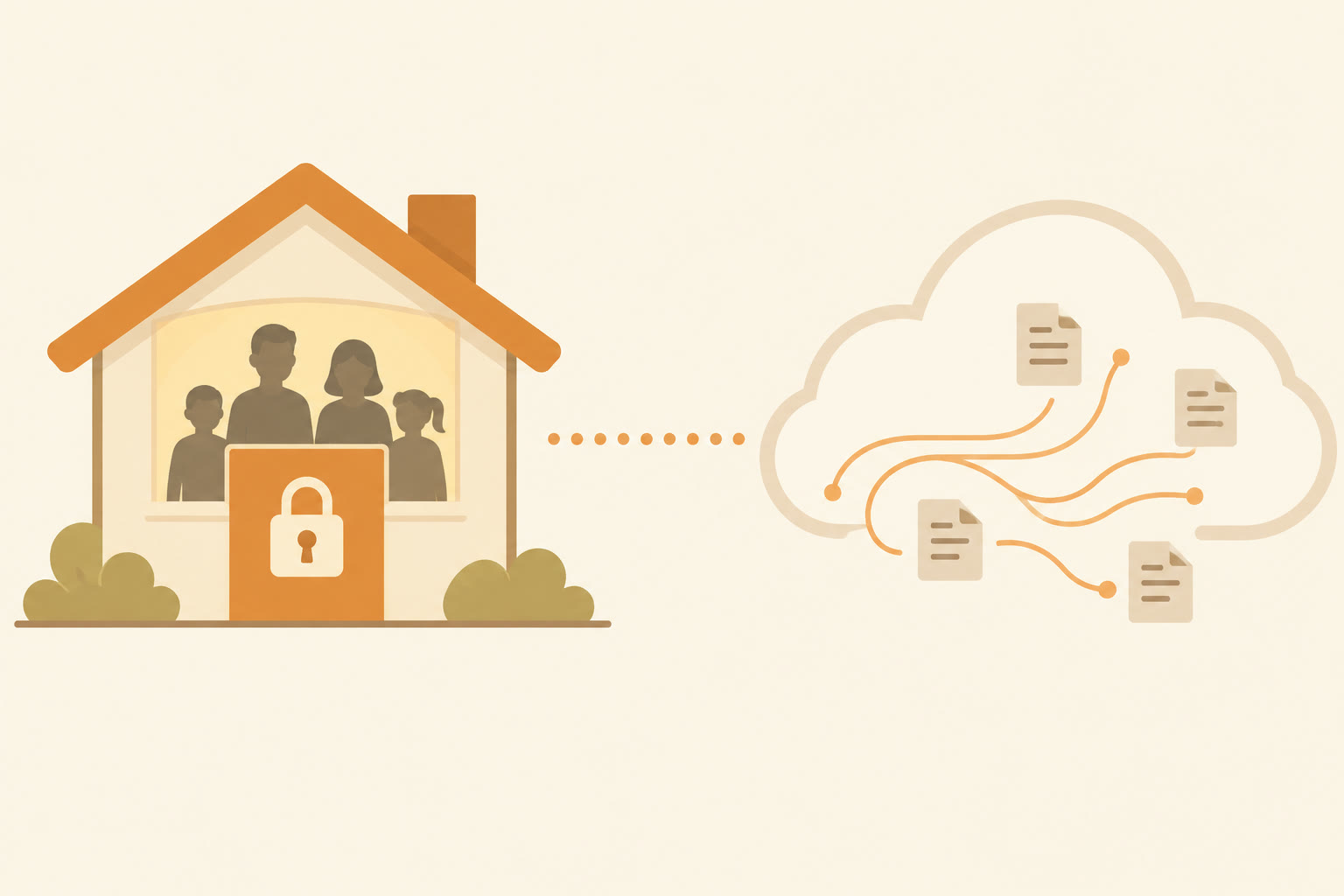
The first kind is household private. Who in your home can see this? Your kids, your spouse, your mother-in-law borrowing the laptop to check the weather. Locked chats are built for this kind. They are great at it.
The second kind is data private. Where does this information go after you hit enter, who stores it, and for how long? Locked chats do almost nothing here.
OpenAI says so plainly. Locking a conversation "does not provide end-to-end encryption or change OpenAI's data-retention policies." Whether your chats help train future models still depends on your account settings, the same as before. Business, Enterprise, and Edu accounts still follow their own company rules for keeping data. One editor at AI Weekly called locked chats a "shoulder-surfing UX, not a privacy upgrade."
That is a little harsh. But the point is fair. The lock is on the front door of your house. It does nothing about the mail you already sent.
And for most small businesses, the mail is the bigger risk.
What People Type Into AI Is the Real Risk
The research here is worth a slow read.
In a January 2025 survey by TELUS Digital, run through Pollfish, 1,000 U.S. adults who use AI assistants at work were asked how they use them. These were people at large companies, with 5,000 or more employees. Companies with IT teams and rulebooks.
Here is what they said:
- 57% admitted to entering sensitive information into public AI assistants.
- 68% said they reach those assistants through personal accounts.
- The kinds of information they put in: personal data (31%), product or project details (29%), customer information (21%), and confidential financial information (11%).
- 44% said their company had no AI rules, or they did not know if it did.
Those are big companies with security teams, and many still had no clear rules. At a one-person business run from home, there is no security team. There is you.
The good news is that you do not need a security team. You need a short list.
How I Keep My Own AI Work Private
I did not learn this from OpenAI. I learned it building my own systems, at home and at work.
At home, a shared screen is supposed to be shared. Our family runs on a Digital Wall Calendar I built. It replaced a $50 a month subscription and ended the nightly "What does tomorrow look like?" talk. It works because everyone can see it. That is the whole point of a family board.
But that only works when you are clear about what belongs on a shared screen. A family board is made for things like school events and appointments. Client details belong somewhere else. The same goes for any device the kids use. Shared on purpose means you decide, ahead of time, what lives there.
At work, my AI agents run from written rules. Matchless runs on a workforce of AI agents. They do research, first drafts, notes, and content prep. Every one of them starts from the same shared memory files and the same library of written instructions. When I decide something, I write it down once, in one place, and every agent follows it.
That habit is the real privacy tool. A written rule says what goes in and what stays out. A button can only help after the rule exists.
My agents also work draft-first. Nothing sends, posts, invoices, books, buys, signs, or spends until I say yes. I am the only approval gate. That keeps the big moves in human hands, and it means the sensitive steps always pass in front of me first.
From the plant floor, I learned to label. I spent 16 years in manufacturing and supply chain. On a well-run floor, everything has a place. Tools go back where they belong. Materials are marked so nobody grabs the wrong one. It sounds boring. It also keeps the same mistake from happening twice.
Your AI chats need the same thing. A place for business. A place for family. And a clear label on the things that never go in at all.
Your "Never Type" List
This is the part most people skip. And it does more for your privacy than any lock.
Before anyone in your business types into an AI chat, they should know what stays out. Here is the list I would start with. Change it to fit your work.
Never type these into any AI chat:
- Full credit card numbers, bank account numbers, or routing numbers.
- Social Security numbers or other government ID numbers, yours or a client's.
- Passwords, PINs, or login codes.
- Anything a client told you in confidence, word for word, with their name attached.
- Medical details about anyone, including your own family.
Strip the names first for these:
- Client proposals and pricing. Use "Client A" instead of the real business name.
- Customer complaints. Keep the problem, drop the person.
- Financial numbers. Round them, or describe the shape of the problem instead of the exact figures.
Fine to type, with common sense:
- Drafts of public content, like blog posts and social posts.
- General business questions.
- Brainstorming, outlines, and checklists.
Here is a quick example of how that plays out. Say you want help pricing a new package. Instead of pasting in a client's name and their full budget, you write, "A local service business wants a three-month package. Their budget is in the low thousands. Help me build three price options." You get the same help. Nothing private leaves the house.
That one habit covers both kinds of private. Your kids cannot see what you never typed. And neither can anyone else.
Where Locked Chats Fit, and Where They Don't
Based on what OpenAI and the early reports have shared, here is how I would sort it.
Good fit if:
- You share a laptop, tablet, or phone with your kids or your partner.
- You want certain chats out of your sidebar, like pricing work, client notes, or a business plan you are not ready to share at home.
- You already keep your real records somewhere else, and the chat is just your thinking space.
Not enough on its own if:
- You are working with information that would hurt someone if it leaked. That belongs outside the chat entirely. A lock is too thin for it.
- You need a chat history you can always get back. Locked chats can vanish with one PIN reset.
- You have a team. Each person needs the same written rules, and a business plan with admin controls is worth a look. Business and Enterprise accounts keep their own company rules for data.
A better tool for some jobs: Temporary Chat. If you want a conversation that stays out of your history and is not used to improve OpenAI's models, Business Today pointed readers to Temporary Chat instead. Temporary Chats also do not create or update memories. For a one-off sensitive question, that can be a better fit than a lock.
If you are thinking about letting AI tools into your business accounts at all, my post on whether you should give an AI agent the passwords to your business accounts walks through how to decide what an agent can reach.
7 Steps to Keep Your Business Chats Private on a Shared Device
- Look at your sidebar tonight. Open ChatGPT on every device the family uses. Scroll through your chat history. Count the chats you would not want your kids to read. That is your starting number.
- Set your PIN and save it in your password manager. Do this before you lock a single chat. Remember, a forgotten PIN means every locked chat is gone for good.
- Lock the chats you still need. Open each sensitive chat, tap the three-dot menu, and choose Lock chat. They will move to Projects, then Locked chats.
- Copy the keepers out. For any locked chat that holds real business work, copy the final version into your proposal folder, pricing doc, or notes app. The chat is scratch paper. Your records live somewhere safer.
- Delete old share links. If you ever shared a link to a sensitive chat, go delete it. Locking the chat does not cancel the link.
- Check your data settings. Open your ChatGPT settings and decide whether your chats can be used to improve the model. Then use Temporary Chat for one-off sensitive questions.
- Write your "never type" list and post it. Keep it short. Put it where you work, and share it with anyone who helps in your business. Then, after two weeks, ask the only question that matters. Did this give you back Time, Money, or Energy? If you stopped worrying about the family iPad, that is Energy back.
Frequently Asked Questions
What are ChatGPT locked chats?
ChatGPT locked chats are a feature OpenAI began rolling out on October 20, 2026. You can lock a single conversation behind a four-digit PIN, or Face ID, Touch ID, or device login on supported phones. Locked chats are hidden from your regular history and search, and they move to a separate Locked chats folder.
Are ChatGPT locked chats encrypted?
No, not end to end. OpenAI says locking a conversation does not provide end-to-end encryption or change its data-retention policies. Whether your chats help improve OpenAI's models still depends on your account settings. The lock keeps people near your device out of the chat. It does not change what OpenAI stores.
What happens if I forget my ChatGPT PIN?
If you reset a forgotten PIN, ChatGPT permanently deletes all your locked chats, plus memories and files stored only in them. OpenAI Support cannot recover them. Changing your PIN while you still know the old one keeps your chats safe. Save your PIN in a password manager and copy important work out of locked chats.
Which ChatGPT plans get locked chats?
Reports say locked chats are rolling out gradually to Free, Go, Plus, Pro, Business, Enterprise, and Edu users. They work on the web, iPhone, Android, and the Windows and Mac desktop apps. On a computer, you need the newer desktop app. If you do not see it yet, the rollout may not have reached your account.
Should I use locked chats or Temporary Chat for business?
Use locked chats for conversations you want to keep but hide from others in your house. Use Temporary Chat for one-off sensitive questions you do not need to keep. Temporary Chats stay out of your history, are not used to improve OpenAI's models, and do not create memories. Neither one replaces keeping sensitive details out entirely.
Lock the Door, Then Watch What You Put Inside
Go back to that Tuesday night and the family iPad.
With locked chats, your daughter opens ChatGPT and sees her homework. Nothing else. That is a small win, and it is worth the four taps to set up.
But the bigger win comes from the habit behind the lock. Write down what never goes in. Strip the names before you ask for help. Keep your real records outside the chat. Save your PIN where you can find it.
Do that, and both kinds of private take care of themselves. Your kids cannot stumble on what is locked away. And no one, anywhere, can see what you never typed.
That is the test I run on every system in my business and my home. Does it give you back Time, Money, or Energy? This one gives back Energy. The quiet kind you get when you stop worrying about who picks up the iPad next.
That is A Better Way to use AI at home and at work.
Keep Learning
- Should You Give an AI Agent the Passwords to Your Business Accounts? How to decide what an AI agent can reach, and what should stay behind your approval.
- Should You Let a Proactive AI Agent Like Claude Duet Decide What Needs Your Attention? Simple rules for any AI that wants to look through your accounts and interrupt your day.
- Can Claude AI Edit Your Google Docs, Sheets, and Slides Directly? Yes. Here's What That Means for Your Business. What changes when your AI assistant can open and edit the files your business already runs on.
- How Do You Protect Your Small Business From AI-Powered Scams in 2026? The process fix that stops most AI-powered scams, and the kitchen-table rules that protect your family too.
- Should You Build Your Own App With AI Instead of Paying for Another Subscription? How the Digital Wall Calendar replaced a $50 a month subscription, and how to decide what to build.
About the Author
Warren Schuitema is an AI Systems Consultant with Matchless Marketing and Matchless AI. He spent 16 years in manufacturing and supply chain, where he learned that good systems start with a place for everything and a clear label on what goes where. He runs his business day to day with a workforce of AI agents that work from one shared set of written rules, draft first, and wait for his approval before anything sends, spends, or signs. At home, his Digital Wall Calendar replaced a $50 a month subscription and his Weekly Meal Planner replaced HelloFresh. He helps small business owners and parent entrepreneurs build practical AI systems that give back Time, Money, or Energy, and he is a partner in the Goal Achievers Summit.