Anthropic just moved Claude out of a separate tab and into the sidebar of the tools you already live in. Here's how to use it this week — and why this changes the overhead equation for small business owners permanently.
By Warren Schuitema, AI Consultant and Owner, Matchless AI
Published: October 10, 2026 | Last Updated: October 2026 | Read time: 9 minutes
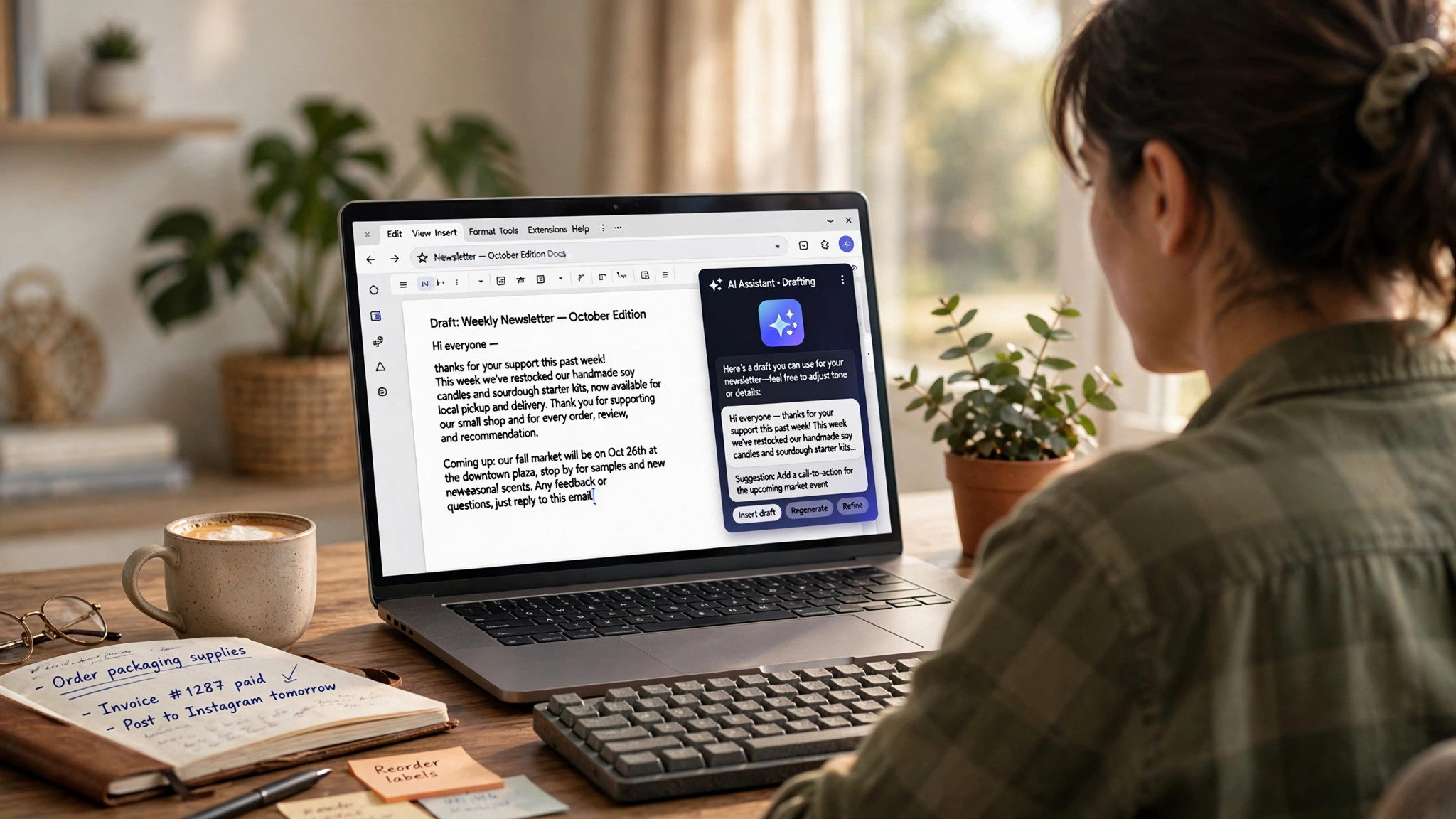
Three weeks ago I was building a client diagnostic summary.
I had a Google Doc open. I had a ChatGPT tab open. I was copying a chunk of text, pasting it into the AI, asking it to tighten the language, copying the revised version back, reformatting what had broken in transit, and repeating that cycle for every section.
It worked. It was also a 45-minute process for a document that should have taken 15.
That workflow just became obsolete.
This week, Anthropic moved Claude into public beta inside Google Docs, Sheets, and Slides. Not as a Chrome extension that sits on the side. Not as a copy-paste bridge between tools. As a sidebar that reads your actual document, sees what you've selected, and edits it directly — while you watch.
The short answer to the title question: yes, Claude can now edit your Google files directly. The more useful answer is what that means for the 36 percent of your workweek that currently goes to admin tasks instead of billable work.
Key Takeaways
- Claude for Google Workspace is now in public beta on all paid Claude plans — no separate fee.
- It opens as a sidebar inside Google Docs, Sheets, and Slides and reads your actual file.
- In Docs, it can rewrite sections, fix sentences, and convert lists into tables without breaking your formatting.
- In Sheets, it writes formulas, builds pivot tables, cleans messy data, and builds native charts.
- In Slides, it generates new slides that match your existing deck's layouts and themes, then checks its own work.
The 45-Minute Problem Nobody Wants to Admit
Most of us built a workaround.
You write something in Google Docs. You copy it. You paste it into ChatGPT or Claude. You edit it there. You copy the improved version back. You reformat the parts that didn't survive the trip. You repeat this nine more times across one document.
That workaround costs time. It costs momentum. And it costs the kind of focused attention that should be going toward the client on the other end of the proposal, not the act of moving text between windows.
A 2023 Censuswide survey of 251 U.S. entrepreneurs found that administrative tasks — documents, emails, scheduling, data entry — consume an average of 36 percent of a small business owner's workweek. In a 45-hour week, that's more than 16 hours. Per week. Not spent on revenue. Spent on overhead.
I built Matchless AI specifically for this kind of problem. Not the dramatic AI use case you see on stage. The quiet, daily grind of tasks that eat your most focused hours and leave you wondering why the important work keeps getting pushed to next week.
The copy-paste workaround was one of those tasks. It had the right goal — better documents faster — but the wrong execution. Every context switch between tools added friction. Every formatting fix after pasting added minutes. Across a week of proposals, reports, and client deliverables, it added hours.
That's the problem Claude for Google Workspace is built to solve.
The Evidence: What the Data Actually Says About Your Document Overhead
About 60 percent of U.S. small and medium businesses run on Google Workspace, according to MarketSplash data cited by Thrive Agency. That's 8 million paying customers globally, with roughly 250,000 new businesses adopting it every month.
That is not a niche tool. For most small business owners, Google Docs, Sheets, and Slides ARE the business infrastructure. Proposals live there. Client reports live there. Budgets, slide decks, SOPs, invoices — all of it.
And for most of those 8 million customers, AI has been an adjacent tool. Something useful to open in another tab. Never inside the infrastructure itself.
That gap was always the inefficiency nobody named.
Anthropic published the public beta of Claude for Google Workspace on October 8, 2026. It's available now on all paid Claude plans, including Pro, Team, and Enterprise, with no separate pricing announced. The Workspace add-on installs from the Google Marketplace in under two minutes.
The same week, OpenAI shipped GPT-6 with the ability to build calculators, charts, and forms inside a chat conversation. Microsoft's Autopilot agent was described in its own announcements as a "chief of staff" that can work for days in a cloud environment with its own memory and identity.
The pattern is not subtle. The major AI labs are done asking you to build workflows around their tools. They are building into the workflows you already have.
The Reframe: AI Is No Longer a Tab You Open. It's Infrastructure Now.
Here's what most AI adoption conversations miss.
The real bottleneck was never whether AI could write a better proposal. It could. The bottleneck was the distance between your AI tool and the place the actual work happened.
Every tool switch costs 10 to 15 minutes of cognitive recovery time, according to productivity research cited by the American Psychological Association. In a workday full of switches — from Docs to Claude to Sheets to Gmail — that's a stack of invisible overhead you never see on a time log.
When AI lives inside the infrastructure, the switch disappears.
This is not an upgrade to how you use AI. It's a change in what category AI belongs to. Before this week, AI was a productivity tool you used separately from your work. Starting this week, for Google Workspace users, it is part of the work environment itself.
That distinction is where the real time savings live.
What Claude for Google Workspace Actually Does
Here's the specific capability breakdown. No hypotheticals — this is what the tool does in beta right now.
Inside Google Docs
Claude opens in a sidebar and reads your entire document. It sees your current selection. When you ask it to tighten a paragraph, it edits that paragraph in place without disturbing the formatting around it. When you ask for a larger revision — rewriting an executive summary, converting a bullet list into a comparison table — it shows you the proposed change in the sidebar first. You approve it or dismiss it.
Default mode is "Ask before edits." Every change waits for your approval. You can switch to "Accept all edits" for faster throughput when you trust the direction you've given it.
Inside Google Sheets
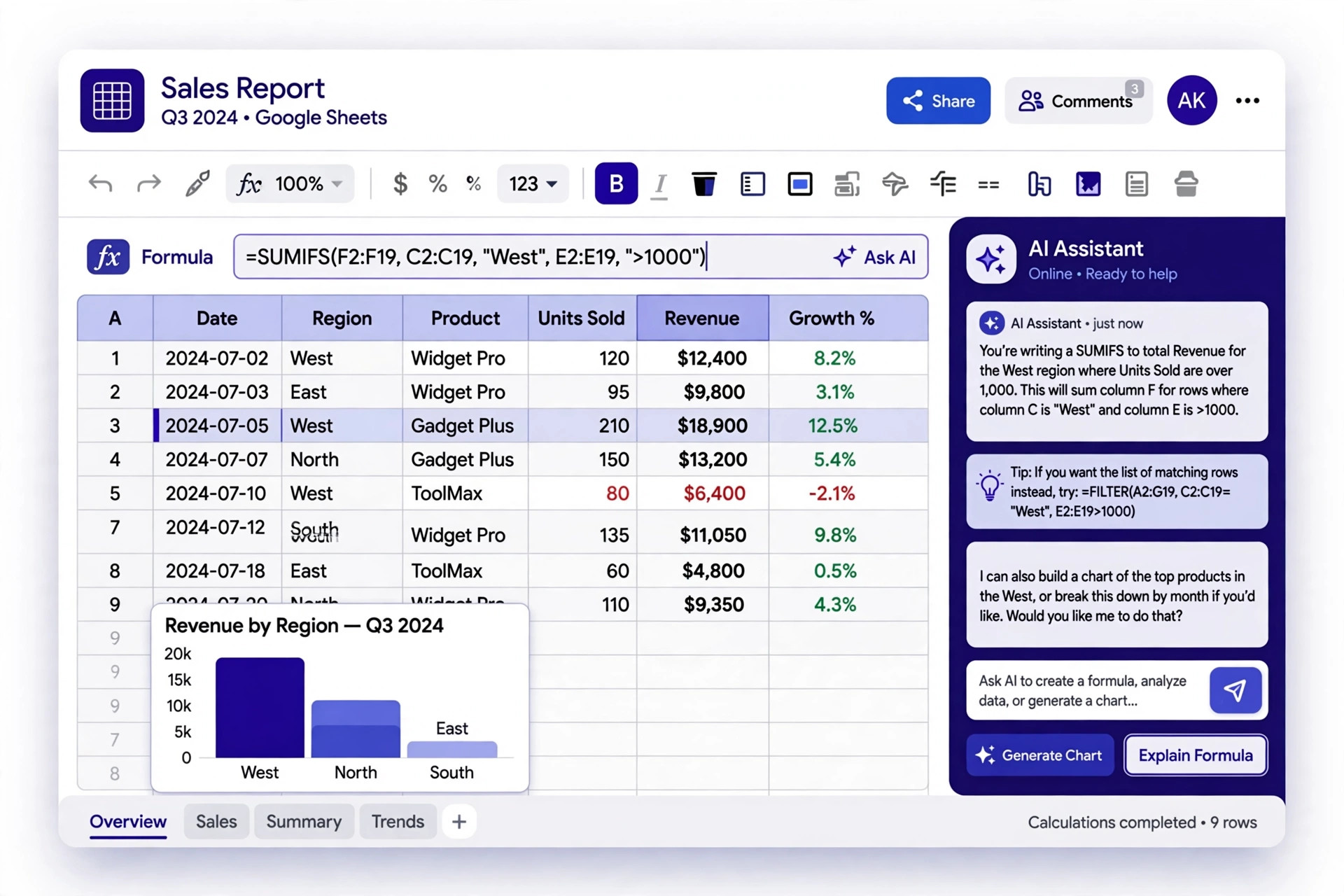
Claude writes formulas. It builds pivot tables. It creates native charts. When you have messy data that needs to be cleaned or two datasets that need to be joined, it processes the range using Python internally and writes the clean results back into your sheet. You see the output in the cells, not in a separate window.
Inside Google Slides
Claude generates new slides that match the layouts and themes already in your deck. It doesn't create slides that look like AI built them in isolation. After building, it checks its own output for overlapping objects, elements that extend past slide edges, and hard-to-read text. It fixes problems before it hands the slide back.
In both directions
You can also start in Claude, paste a Google file link, and work there. Or ask Claude to create a new Doc, Sheet, or Slides file. Your connectors and Skills work in the sidebar the same way they work in Claude's main interface.
On Team and Enterprise plans, owners enable the Docs, Sheets, and Slides connectors once — admins can push it to an entire domain. Then every team member has it available in the sidebar the next time they open a Google file.
Practical Steps: How to Set This Up This Week
Step 1: Confirm you're on a paid Claude plan.
The Workspace integration is available on Pro, Team, and Enterprise plans. Free accounts are not included in the current beta. If you're running a business on free Claude, this is a concrete reason to upgrade.
Step 2: Install the Google Workspace Marketplace add-on.
In any Google Doc, Sheets, or Slides file, go to Extensions in the top menu. Click Add-ons, then Get add-ons. Search "Claude" in the Google Workspace Marketplace. Install the Anthropic add-on. This takes less than two minutes.
Step 3: Open a file and launch Claude from Extensions.
In an open Google file, go to Extensions > Claude > Open Claude. The sidebar appears on the right side of your screen. Claude reads the full document automatically. No pasting required.
Step 4: Set your edit control preference.
At the top of the sidebar, choose "Ask before edits" or "Accept all edits." Start with "Ask before edits" until you're comfortable with how Claude interprets your instructions. You can switch modes anytime.
Step 5: Give Claude a specific task, not a general direction.
"Make this better" produces mediocre results. "Rewrite the executive summary so the outcome statement is in the first sentence and the word count drops by 30 percent" produces something you can actually use. The more specific the instruction, the more the tool earns its place.
Step 6: Use the sidebar to build, not just edit.
This tool is not just for fixing what already exists. In Sheets, ask it to build a formula that calculates your profit margin by service line. In Slides, ask it to add a summary slide with three main takeaways using your existing theme. In Docs, ask it to turn your notes from a client call into a structured SOW outline — this same AI pipeline turns any client call into a ready-to-send action plan in under 10 minutes. Build from scratch with it, not just polish after the fact.
Step 7: Save a Skill for your most-repeated document types.
If you build the same kind of document regularly — client diagnostic summaries, monthly reporting decks, project proposals — save a Claude Skill that captures the formatting instructions, structure, and tone requirements. The next time you need that document type, the Skill runs inside the sidebar and the structural work is done before you've typed a single word.
Frequently Asked Questions
Is Claude for Google Workspace free?
The integration is in public beta on all paid Claude plans — Pro, Team, and Enterprise. There's no separate fee announced. If you already pay for Claude, you have access. Free accounts are not included in the current beta.
How is this different from Google's own Gemini AI in Workspace?
Google's Gemini is built into Workspace for Google subscribers. Claude is a third-party add-on installed from the Google Marketplace. The key difference is in instruction-following precision and how you use Skills and connectors inside Claude. If you already have Claude workflows — saved prompts, connected tools, automation sequences — those follow you into the sidebar.
Does Claude see my entire Google file or only what I select?
Claude reads the entire open file by default. It also recognizes what text, cells, or slides you have selected and can target changes to the selection specifically. Your file access follows your existing Google sharing permissions — Claude can only access files your Google account can already access.
Can I use this with clients if they don't have Claude?
The Workspace add-on runs through your Claude account. Your client doesn't need a Claude account to receive a document you built or edited using it. What you share with clients is the Google file — the AI work is done on your side, in your sidebar.
What's the biggest mistake people make using AI document tools?
Treating the AI as a proofreader instead of a builder. The highest-leverage use is not polishing a finished document — it's accelerating the drafting phase before you've written much at all. A rough outline plus a specific Claude instruction gets you 80 percent of the way to a finished document in a fraction of the time.
The Document Tab Is Closing
Three weeks ago I was running a 45-minute workflow to improve a 15-minute document.
The copy-paste bridge was the best available option at the time. It got results. And it was quietly expensive in a way that's easy to miss when you're inside the process — the context switching, the reformatting, the momentum lost every time you moved between windows.
That option is no longer the best available.
When AI lives where the work already happens, the question stops being "should I use AI for this" and starts being "what do I want this document to become." That shift is worth more than any individual feature.
You don't have to change platforms. You don't have to learn new tools. You open the file you were already going to open, and the capability is already there.
The overhead is the only thing that leaves.
Keep Learning
- AI Phone Agents for Small Business: How to Stop Losing Revenue Every Time You Step Away From Your Desk
- Do AI Agents Actually Handle Your Everyday Tasks — Or Is That Still Hype in 2026?
- Is Your Sunday Night Planning Ritual Still Taking 3 Hours? Here's the AI System That Fixes That
AI working inside Google apps is also changing on Google's side — see Google replacing Gemini Gems with skills for what that means for your saved AI helpers in Gemini and Workspace.
About Warren Schuitema
Warren Schuitema is the owner of Matchless Marketing and Matchless AI, based in Allegan, Michigan. He has 16 years of experience in supply chain and manufacturing systems, and now consults with small business owners on custom AI builds and automation workflows that give time back for family and life outside work. He writes and speaks under the AI Dad brand. His work focuses on the practical gap between AI capability and small business adoption — the tools that actually work, built for owners who wear all the hats.