LegalZoom just launched a free AI Assistant that knows your business record and flags filing deadlines. Here is what to hand it, what to keep, and how to set it up this week.
By Warren Schuitema, AI Systems Consultant, Matchless Marketing / Matchless AI
Published: November 1, 2026 | Last Updated: November 2026

Quick question. When is your annual report due?
If you know the date without looking, nice work. A lot of owners have to dig for it. Some find out the hard way, when a letter from the state shows up saying the business is no longer in good standing.
It happens to good people. You formed the LLC at the kitchen table. You picked a registered agent because the form asked for one. Then life took over. Clients, kids, school pickups, dinner. The filing date never made it onto anybody's calendar.
On October 29, LegalZoom launched a tool aimed right at that gap. Its new AI Assistant is free for business owners. It already knows your business type, the state you formed in, your registered agent, and your address. So you can ask it plain questions like "Am I in good standing?" and get an answer based on your own record, plus a heads-up on what is due next.
So can a free AI assistant keep your small business in good standing? It can help a lot. It can answer the routine questions, remind you before deadlines, and save you real hours of digging. But it cannot carry the legal judgment for you. Let it answer and remind. When a question has real stakes, let it route you to a person. And keep the final say yourself.
That is a good deal for a free tool. It just needs a little setup and a clear line.
Key Takeaways
- LegalZoom's AI Assistant launched October 29, 2026. It is free, and you can create a free account even if you did not form your business with LegalZoom.
- It pulls from your business record to answer questions like "Am I in good standing?" and to flag upcoming filings.
- The smallest US businesses spend about 263 hours per employee each year on regulation, compared with 19 hours at big firms, according to a CFIB survey of 1,765 US businesses.
- A Stanford study found that even AI tools built for legal research gave wrong answers more than 17% of the time.
- Use AI to answer, remind, and route. Keep the legal judgment with a qualified human and the final decision with you.
LegalZoom Just Put a Free AI Assistant on Your Business Paperwork
LegalZoom calls it "a personalized, AI-powered business partner." Here is what that means in plain words.
It reads your business record. According to LegalZoom's October 29 announcement, the assistant "already knows their business type, formation state, registered agent, and address." It pulls straight from that record. You do not have to explain your business from scratch.
It answers status questions. The example LegalZoom gives is a Texas LLC owner. The assistant confirms the LLC is active and alerts the owner to a Public Information Report due May 15. That is the kind of thing that slips through the cracks.
It covers the basics. The announcement lists formation, DBAs, operating agreements, EINs, business licenses, registered agent service, and annual reports, plus partner offerings in banking, tax, payroll, and insurance.
It hands off when it should. LegalZoom says the assistant "connects them to a licensed attorney or specialist when judgment is required." That line matters. I will come back to it.
It is free. The company says it is "available free to all existing or future business owners." You can make a free LegalZoom account to try it, "whether or not they formed their business with LegalZoom."
It shows up where you already work. LegalZoom says its apps are live in ChatGPT, Claude, Copilot, Gemini, and Perplexity.
LegalZoom also shared some early numbers. Customers have used the assistant "hundreds of thousands of times" since August. People who use it come back to their accounts "nearly twice as often" as similar customers who don't. Those are the company's own figures, with no method shared, so I treat them as a sign of interest and nothing more.
One honest note. LegalZoom sells many of the services on that list. So some of the "next steps" it suggests may point you toward things it offers. That is normal for a free tool from a company. Just know who is giving the advice.
The Paperwork Nobody Warns You About Hits Tiny Businesses Hardest
When you start a business, nobody hands you a calendar of every filing you will owe. You find out one letter at a time.
The annual report. The license renewal. Sales tax filings, if you sell products. None of it is hard on its own. The hard part is that it is scattered across different agencies, different dates, and different websites.
A big company has a legal team for this. You have you. And maybe a spouse who already has a full-time job.
The numbers back this up. A 2021 survey of 1,765 US businesses by the Canadian Federation of Independent Business found that firms with fewer than five employees spent 263 hours per employee each year on regulation. Firms with 100 or more employees spent 19 hours per employee. The report puts it simply: small US firms pay "nearly fourteen times as much" per employee to comply. US owners also said about 36% of that burden was red tape, the kind of work that adds hassle without adding much value.
Think about that. Two hundred sixty hours is more than six full work weeks. For a one-person business, it lands on one person.
And most US businesses are exactly that size. The SBA Office of Advocacy counts 36,207,130 small businesses in the US. About 82.3% of them, nearly 30 million, have no employees at all. That is the parent selling crafts online, the consultant working from the dining table, the photographer with an LLC and a laptop.
The Research Says AI Is Helpful With Rules and Still Gets Things Wrong
Here is the tension. AI is very good at finding and explaining rules. It is also known for giving confident answers that are wrong. That matters a lot when the topic is legal.
In 2024, researchers at Stanford's RegLab and the Stanford Institute for Human-Centered AI tested AI tools built just for legal research. These were paid, professional tools made for lawyers. They used more than 200 open-ended legal questions.
The results were humbling. Lexis+ AI and Ask Practical Law AI "produced incorrect information more than 17% of the time." Westlaw's AI-Assisted Research "hallucinated more than 34% of the time." The researchers' earlier work found that general chatbots got legal questions wrong between 58% and 82% of the time. So the professional tools did better. They still missed roughly one question in six, or worse.
Now, LegalZoom's assistant has a different job. Mostly, it reads your own business record and matches it to known filing rules. That is much easier work than deep legal research. When the answer comes straight from a record ("your LLC is active, your report is due May 15"), there is less room to make things up.
But the line between "routine question" and "legal question" is blurry. "Am I in good standing?" is routine. "Should I convert my LLC to an S corp?" is not. "Can my sister-in-law work for me as a contractor?" is not. Those questions sound simple. They are not.
So here is how I read the research. AI is great at the lookup and the reminder. It gets riskier the closer you get to judgment. The tool can be right most of the time and still be wrong on the one question that costs you.
Let AI Answer, Remind, and Route
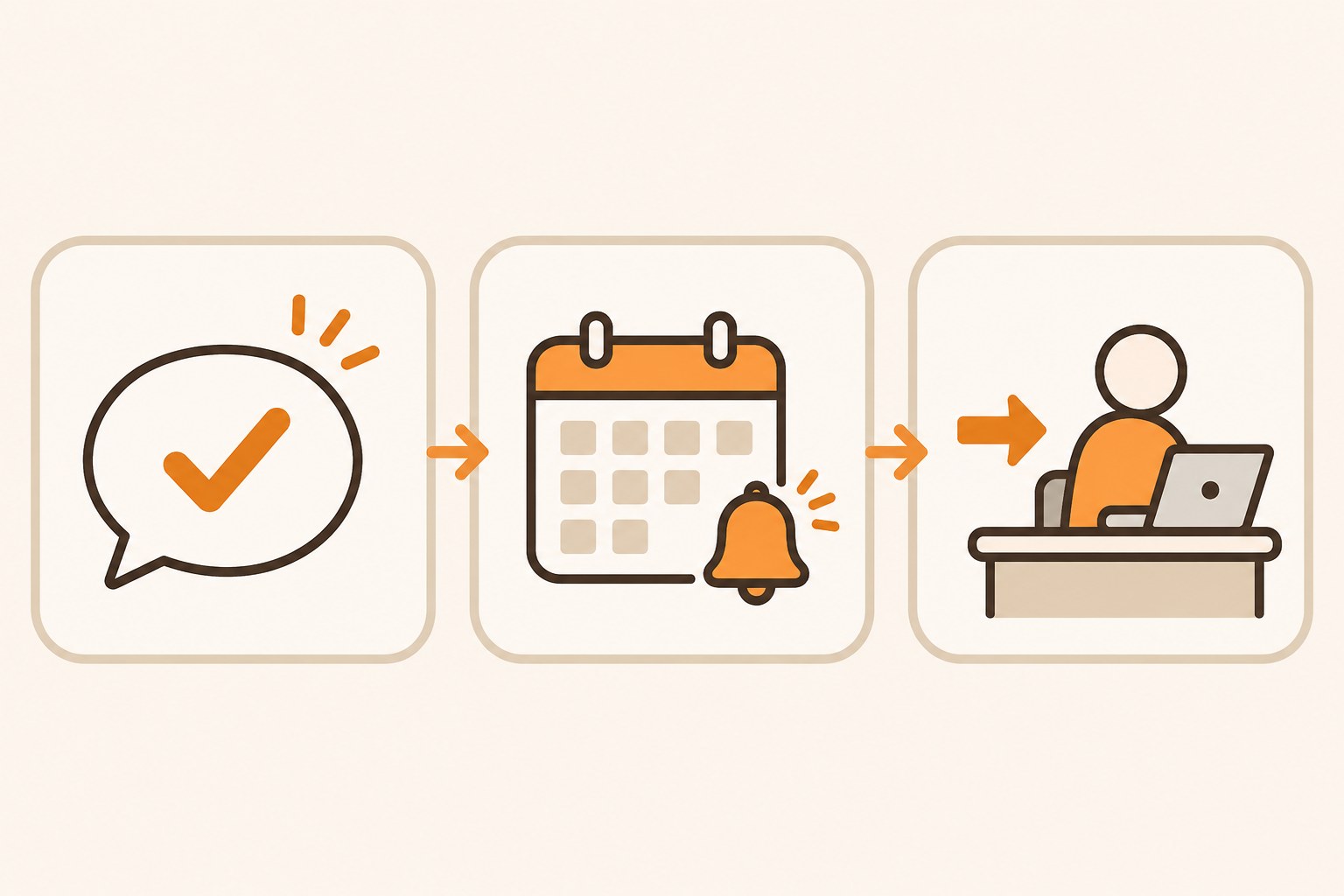
Here is the approach I use, and the one I recommend to owners. I call it Answer, Remind, Route.
Answer. The AI handles routine status questions. Am I active? Who is my registered agent on file? What state did I form in? When is my next report due? These answers come from a record. That is perfect work for an AI assistant.
Remind. The AI watches the calendar for you. It flags what is due, and when, well before the date. This is where most small owners slip. A missed date usually comes from a busy week. Most of us knew the rule. We just lost track of the date.
Route. When a question needs judgment, the AI sends it to a person. A licensed attorney. A CPA. Or, at the very least, you, sitting down with a cup of coffee and the actual rules. LegalZoom says its assistant connects owners "to a licensed attorney or specialist when judgment is required." Good. But you decide what counts as judgment. Don't leave that call to the tool.
Here is my rule of thumb for the route step. If a wrong answer could cost you money, your liability protection, or a relationship, it gets routed. Tax choices. Changes to who owns what. Hiring. Contracts. Anything with the word "penalty" in it.
I wrote about a similar split in my piece on why your own call should come first when you work with an AI assistant. Compliance is where that idea matters most. The cost of a wrong answer is higher, and it often shows up months later.
My Agents Already Follow This Rule for Anything Legal
I live this every day. I run Matchless Marketing day to day with a workforce of AI agents. They research, draft content, keep notes, and handle a lot of the admin.
Every one of them follows the same escalation rule. When a question touches anything legal, tax, or financial, the agent gives general information, names the risk, and routes it. Legal questions go to a legal lane. Tax questions go to a tax lane. Numbers go to a numbers lane. None of them gets to make the final call on their own.
And above all of that sits one hard rule. I am the only approval gate. Nothing gets sent, signed, filed, bought, or booked until I say yes.
Why build it that way? My agents are fast and confident. That makes them useful, and it makes them risky on judgment calls. A confident wrong answer about a filing is worse than no answer, because you stop looking.
So they answer and remind all day long. When the stakes go up, they route. The LegalZoom assistant fits the same pattern. Let it be one more helper. Just don't let it become the final word.
If you plan to connect this kind of assistant to other accounts, I covered how to think about access in Should You Give an AI Agent the Passwords to Your Business Accounts?
A Deadline Only You Can See Is a Deadline Waiting to Be Missed
I spent 16 years in manufacturing and supply chain. One lesson from that world fits here perfectly.
On a plant floor, you don't wait for a machine to break before you service it. You put the maintenance on a schedule. Everyone can see it. When the date comes, the work gets done, whether anyone remembered or not.
Most small business paperwork runs the opposite way. It lives in one person's head. Or in an email from three years ago. Or nowhere at all, until the state sends a letter.
At home, I fixed a version of this problem with our Digital Wall Calendar. It replaced a $50 a month subscription. It also ended the nightly "what does tomorrow look like" conversation. Once the whole family could see the plan, nobody had to carry it in their head.
The same idea works for business deadlines. A filing date that only you know about is fragile. A filing date that sits on a shared calendar, with a reminder two weeks out, is sturdy. Your spouse sees it. You see it. It doesn't depend on you having a calm week. An AI assistant can find the dates you didn't know you had. Your job is to move them onto the same calendar as the dentist and the soccer game.
My Weekly Meal Planner taught me the same thing in a different room. It replaced HelloFresh and ended our Sunday planning spiral. The real win came from making the plan, and making it visible, before the week started. Systems beat memory. Every time.
If you are weighing other business assistants that pull everything into one place, I looked at the same questions for Google's Gemini Business Hub.
Does It Pass the Time, Money, Energy Test?
Every system I build has to give back Time, Money, or Energy. If it gives back none, it goes. Here is how the LegalZoom assistant holds up.
Time. The clearest win. Digging through a state website to figure out what is due can eat an evening. Asking one question takes a minute.
Money. The tool is free. A missed filing can bring late fees and the cost of getting back into good standing, so a reminder that heads that off pays for itself fast. If it nudges you toward paid add-ons, take a breath and decide if you need them.
Energy. For parents running a business, this is the big one. That low hum of "am I forgetting something?" is tiring. Knowing your next date quiets it. A wrong answer you trusted would cost far more later, which is why the Route step matters.
Here is a made-up example to show it. This is a pretend business, not a client story. Picture a dad who runs a one-person design studio as an LLC from home. He asks "Am I in good standing?" and learns a report is due next month. It goes on the family calendar that night. Then he wonders about hiring his teenager for summer work. That one goes to his CPA. Different kind of question. Different kind of answer.
Banks are making free AI offers too, so run the same Time, Money, Energy check there: Should Your Small Business Use the Free AI Tools Your Bank Is Offering?
How to Set Up an AI Compliance Assistant the Safe Way: 7 Steps
Give this about 45 minutes.
- Gather your basics first. Find your formation state, entity type, formation date, registered agent, and EIN. Write them on one page.
- Create a free account and ask the status question. Sign up for a free LegalZoom account and ask, "Am I in good standing, and what is due next?" Read the answer carefully.
- Check the answer against the official source. Go to your state's business search website (often run by the Secretary of State) and look up your business. If the two don't match, trust the state, and find out why.
- Put every date on a shared calendar. Add each filing date with a reminder two weeks before and another two days before. Use the calendar your household already looks at.
- Write your route list. Make a short list of questions that always go to a human. Start with taxes, ownership changes, hiring, contracts, and anything with a penalty.
- Match each route item to a real person. Next to each item, write who you call. Your CPA. An attorney. A trusted advisor. If you don't have one for an item yet, that is your gap to fill.
- Review once a quarter. Every three months, ask the assistant what is coming up, and check your calendar against it. Ask yourself what the tool gave back in Time, Money, or Energy. If it is not much, drop it and keep the calendar.
Frequently Asked Questions
What is the LegalZoom AI Assistant?
LegalZoom's AI Assistant is a free tool launched October 29, 2026. It reads your business record, including entity type, formation state, registered agent, and address. It answers questions like "Am I in good standing?", flags upcoming filings, and connects you to a licensed attorney or specialist when a question needs professional judgment.
Do I have to be a LegalZoom customer to use it?
No. LegalZoom says any business owner can create a free account to try the AI Assistant, whether or not they formed their business with LegalZoom. The assistant itself is free. LegalZoom apps are also available inside ChatGPT, Claude, Copilot, Gemini, and Perplexity.
Can an AI assistant give me legal advice?
No. Treat AI answers as general information only. LegalZoom states it is not a law firm and does not provide legal advice. A Stanford study found even legal research AI tools gave wrong answers more than 17% of the time. For decisions about taxes, ownership, hiring, or contracts, talk to a qualified professional.
What happens if I miss my annual report deadline?
Rules vary by state. Missing an annual report can lead to late fees, and if it goes long enough, the state can mark your business as not in good standing or dissolve it. That can put your liability protection at risk. Check your state's business filing office for exact rules and fixes.
How do I check if my business is in good standing?
Search your business name on your state's official business lookup site, usually run by the Secretary of State. It shows your status and filing history. Many states also sell a certificate of good standing. An AI assistant can answer the question too, but always confirm against the state's own record.
Your Business Paperwork Deserves a Second Set of Eyes
Back to that quick question at the top. When is your annual report due?
If you had to dig for the answer, you are in good company. Most of us started our businesses to do the work we love. Nobody starts a business to track filings.
That is why this tool is good news. It can find the date you forgot, answer the status question in a minute, and point you to help when you need it.
Just give it the right job. Let it answer the routine questions. Let it remind you early. Let it route the hard ones to a person who carries the license and the liability. And keep your own name on the final decision.
You built this business at the kitchen table. You can protect it from there too. It only takes one free account, one shared calendar, and one clear line between a lookup and a judgment call.
Let AI watch the dates. Keep the judgment human.
That is A Better Way.
Keep Learning
- Is Your AI Assistant Quietly Making Your Business Decisions for You? Why your own call should come first, and how to let AI argue with it.
- Should You Give an AI Agent the Passwords to Your Business Accounts? The Read, Draft, and Act keys, and why the send button stays behind your yes.
- Should You Connect ChatGPT to Your iCloud Mail and Calendar? Calendar first, outbox last, and a 30-minute safe setup.
- Is Google's New Gemini Business Hub Worth Using for Your Small Business? How Google's business assistant works, and who it fits.
- Should You Let a Proactive AI Agent Like Claude Duet Decide What Needs Your Attention? What happens when an agent starts choosing your priorities for you.
About the Author
Warren Schuitema is an AI Systems Consultant with Matchless Marketing and Matchless AI. He spent 16 years in manufacturing and supply chain, where scheduled maintenance beats waiting for a breakdown. He runs his business day to day with a workforce of AI agents that answer and draft fast, route every legal, tax, and financial question to the right lane, and never send, sign, or spend without his approval. At home, his Digital Wall Calendar replaced a $50 a month subscription and the nightly schedule conversation, and his Weekly Meal Planner replaced HelloFresh. He helps small business owners and parent entrepreneurs build practical AI systems that give back Time, Money, or Energy. He writes as The AI Dad.