Apple just launched a $299 smart display built for the whole family. Here is how to tell if it will give you back Time, Money, or Energy, or just give your chaos a nicer screen.
By Warren Schuitema, AI Systems Consultant, Matchless Marketing / Matchless AI
Published: October 14, 2026 | Last Updated: October 2026

It used to happen every night.
Somebody in our house would ask the question. "So... what does tomorrow look like?" And then we would piece the next day together out loud, one pickup and one meeting at a time.
That nightly schedule conversation is gone now. My Digital Wall Calendar ended it. It also replaced a $50 a month subscription we had been paying for a family calendar service. So when Apple announced HomeView on October 13, a $299 smart display that can hang on your wall and recognize each person in your house, I paid attention.
So, is Apple HomeView worth it for a busy family running a business from home? Here is my answer. It is worth it if three things are already true: your family already lives on iPhones, at least one adult has an iPhone or iPad that runs Apple Intelligence, and your week already runs on a plan you trust. If those three are true, HomeView puts that plan where everyone can see it, and that is worth real money.
If your week does not run on a plan yet, $299 buys you a beautiful window into the same mess.
My take is simple. Build the system first. Buy the screen last. And test every purchase the same way I test every system: does it give you back Time, Money, or Energy?
Key Takeaways
- Apple HomeView costs $299, opened for pre-order on October 13, 2026, and starts arriving November 13.
- It can recognize up to six people and give each one a personal Home Screen, while shared photos and music stay open to the whole house.
- The smartest Siri features need an Apple Intelligence iPhone or iPad, so check your phones before you buy.
- A family display only helps when the rules behind it are written down: who drives, what is for dinner, and what happens when plans change.
- Run the Time, Money, Energy test before you buy any home tech, and price it against what you already pay each month.
The Kitchen Counter Is Where Your Workday Leaks Out
If you run a business from home, you know this feeling.
You close the laptop. You walk ten steps to the kitchen. And suddenly you are on a second shift. Who has practice tomorrow? Did anyone sign the field trip form? What is for dinner on Thursday, when you have a client call at 5:30?
None of that shows up on your business calendar. But all of it eats the same brain you need for your business.
I spent 16 years in manufacturing and supply chain. On a production floor, the costly problems were often the small handoffs nobody owned. A change one person knew about and nobody else did. Most of those came down to a plan that not everyone could see.
A family running a business from home is a small operation with a lot of handoffs. Two adults, maybe three kids, a few clients, school, sports, and meals. When the plan lives in one person's head, that person becomes the bottleneck. In a lot of homes, that person is also trying to run the business.
That is why a product like HomeView is so tempting. It promises one screen on the wall where the whole family can look up and see the day. I get the pull. I felt it too.
So before we talk about whether to buy it, let's look at what Apple actually built.
Here Is What Apple Actually Announced on October 13
Apple calls it HomeView. Here are the facts, pulled from the launch coverage at 9to5Mac and Engadget.
The price and the dates. HomeView costs $299. Pre-orders opened on October 13, 2026. Units start arriving on November 13.
Two ways to set it up. There is a tabletop version with a speaker base and a hinge so you can tilt the screen. There is also a wall-mounted version. According to 9to5Mac, the wall mounts come from Schneider Home and start at $59.95 for a USB-C wall connector. So if you want it on the wall, plan on about $360 before tax.
The screen. It is a 7-inch square display that Engadget says dims lower than any Apple device before it. Handy for a dark kitchen at 5 AM.
It knows who is looking at it. This is the big family feature. 9to5Mac reports that HomeView can recognize up to six different people and give each one a personal Home Screen with their own apps and widgets. Personal content stays private, while shared photo albums and music stay open to everyone in the house.
Siri AI is the brain. HomeView runs on Apple's A18 chip and is built around Siri AI. Here is the catch for families: 9to5Mac reports that the personal features, the ones that know your calendar and your context, work for people who have an Apple Intelligence-enabled iPhone or iPad. Without one, Siri AI still answers general questions and finds music, but it will not know much about your day.
Calendar and recipes. Engadget reports HomeView shows native apps like Calendar and Weather, plus a recipe mode in Safari.
Where it will not be sold. According to 9to5Mac, HomeView will not launch in the European Union for now, because Siri AI is not available there.
The private Home Screens solve a real problem. A family display that shows my client calls to my kids is one I would unplug.
But notice what HomeView does. It shows your calendar. It holds your recipes. It answers questions. It does not decide who drives to practice, or what you eat on your busiest night. Those decisions still have to come from somewhere.
The Numbers Point to a Coordination Problem
Let's look at what the research says about the families who would buy this.
A lot of us work from home now. The U.S. Bureau of Labor Statistics released its American Time Use Survey results for 2025 in June 2026. On days they worked, 35 percent of employed people did some or all of their work at home. That means the kitchen and the office share a wall for a big share of working Americans.
Home work is daily work. The same survey found that 87 percent of women and 75 percent of men spent some time on household activities on an average day. And adults living with children under age 6 spent an average of 2.3 hours per day caring for those kids. That is time on top of the job, every single day.
Parents feel the squeeze. Bright Horizons and The Harris Poll surveyed U.S. adults in September 2025 for their Modern Family Index. They found that 79 percent of working parents feel they must choose between making sacrifices at home or at work. In an earlier wave from spring 2025, 76 percent of working parents said their focus at work in the summer was directly tied to how reliable their kids' summer schedules were.
Read that last one again. When the family schedule breaks, the work breaks with it. Parents said so themselves.
We are already paying for a lot of monthly help. CNET's 2026 subscription survey, as reported by WFSB and Scripps news stations this summer, found that the average American now spends $111 a month on subscriptions, up from $90 the year before. About $21 a month, or $252 a year, goes to subscriptions people do not even use.
Put those numbers side by side. Lots of us work at home. The home work never stops. The schedule holds it all together. And we keep buying help, then letting some of it sit unused.
The research points at one problem: coordination. Who knows the plan, and can everyone see it? A screen can help with the "see it" part. The "know the plan" part is on you.
A Screen Is a Display Board, and Your Family Still Needs Standard Work
Here is the reframe I want you to take with you.
On a factory floor, we used something called visual management. You have probably seen it in a plant or a warehouse. A big board on the wall shows what the line is building today, what is behind, and who owns each problem. Anyone can walk past it and know exactly where things stand in about five seconds.
The board got all the attention. The standard work behind it did the heavy lifting. Standard work is the best known way to do a job, written down, so anyone on any shift gets the same result. The board just made that work visible.
Without standard work, a visual board is a pretty list of problems. With it, the board runs the room.
HomeView is a display board for your house. A very good one. It knows who is standing in front of it, and it shows each person their own view.
But it still needs standard work behind it. In a family, standard work can sound like this:
- Tuesday and Thursday practice pickups belong to one parent, every week, unless the swap happens by Sunday night.
- Dinner on client call nights is something that takes 20 minutes or less.
- Every school event goes on the shared calendar the day the email lands, by whoever opens it first.
Those are small rules. They are also the reason a family calendar works or doesn't. When the rules are written down, any screen can show the plan. When they are not, even the best screen just shows you the confusion faster.
So my order is always the same. Screen last, system first. Write the rules. Prove them for a few weeks. Then pick the screen that fits.
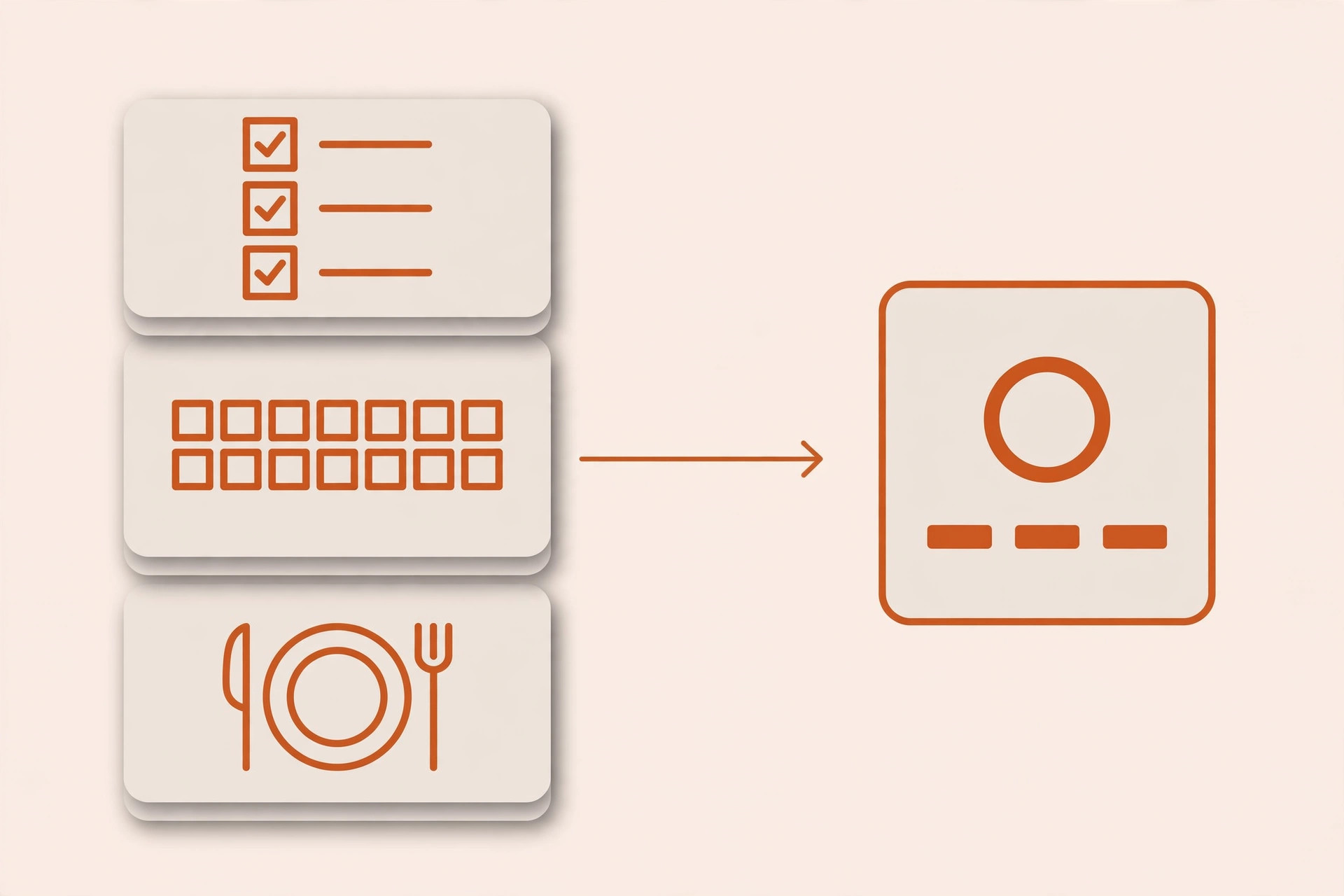
How My Digital Wall Calendar Ended the Nightly Schedule Talk
My Digital Wall Calendar replaced a $50 a month subscription we had been paying for a family calendar service. That is $600 a year we stopped spending. And it ended the nightly "what does tomorrow look like" conversation in our house.
Here is the part people miss. The calendar works because our week has clear rules behind it. Who handles what. What goes on the calendar. When we check it. The screen just shows those rules to everyone.
My Weekly Meal Planner works the same way. It replaced HelloFresh in our house and ended the Sunday planning spiral. It works because the rules are written down: what we like, what we do not eat, and which nights are tight. HomeView's recipe mode would be a nice place to show those meals. The planner is what decides them.
And my business runs on the same idea. I have an AI agent workforce that handles a lot of the day-to-day work at Matchless. Each agent has a written job description. It says what to do, what to avoid, and when to hand something back to me. This article came out of one of those workflows. I wrote the rules once. The agents follow them every time. If you want a clear look at where agents help today and where they still fall short, see my post on whether AI agents handle your everyday tasks.
That is why I can look at HomeView calmly. The rules come first, and the rules are mine. If a new screen fits my family better, the rules move with us.
If you want to see how a weekly planning habit keeps those rules fresh, I wrote about it in my post on the AI weekly reset for parent entrepreneurs.
Who Should Buy HomeView, and Who Should Wait?
Here is the Time, Money, Energy test, applied to HomeView. Run your own family through it before you click pre-order.
Time. Will it save minutes every day? HomeView can, if your family already keeps one shared calendar. Because it recognizes faces, each person can walk up and see their own Home Screen without digging through a phone. If your schedule is still scattered across three apps and a pile of school emails, the screen will not gather it for you. You will still spend that time.
Money. Price it against what you pay now. If you are paying $50 a month for a family calendar service, like I was, a $299 display pays for itself in about six months, as long as it truly replaces that service. If it is one more device on top of the subscriptions you already keep, it is just more spending. Remember that CNET number. The average American already loses about $252 a year to subscriptions they do not use. Do not let a new device become one more of those.
Energy. This is the one most people skip. Will it lower the mental load, or add to it? A screen everyone can check takes pressure off the parent who carries the schedule in their head. A device that needs constant fixing is an energy drain dressed up as help.
Here is a quick example to make it concrete. This is a made-up household, not a client story.
Picture two parents. One runs a design studio from a spare bedroom. Both have newer iPhones. They already keep one shared family calendar and a simple meal plan they set every Sunday. For them, HomeView is an easy yes. It puts a plan they already trust on the wall, and the private Home Screens keep client calls off the kids' view.
Now picture the same family without the shared calendar or the meal plan. For them, the smarter move is two Sundays building the system first. The screen can wait.
Buy now if you already run on one shared calendar, most of your house uses iPhones, and you are ready to cancel a calendar subscription it replaces. Wait if your schedule still lives in one person's head, your house is mostly Android, or you live in the EU.
If you are curious what AI can and cannot take off your plate at home today, my post on what AI agents can actually do for your family and business goes deeper.
7 Steps to Build Your Family Command Center Before You Buy Any Screen
You can do all seven of these with the phones and the AI tool you already have. Then decide on HomeView with a clear head.
- List every recurring event in your week. Grab a notebook or open a blank doc. Write down every event that happens on a schedule: practices, lessons, client calls, school pickups, church, standing dinners. Seeing them all on one page is often the first moment of relief.
- Pick one shared calendar and make it the only one. Choose the calendar most of your family already uses, Apple, Google, or something else. Move every event from step 1 into it. From today on, if it is not on the shared calendar, it is not happening.
- Write your five family rules. Open your AI tool and paste in your event list. Ask it: "Help me write five simple rules for who handles what in this week." Then edit until the rules sound like your family. Keep them short enough to fit on an index card.
- Set a Sunday 15-minute check. Put it on the shared calendar for Sunday evening. Look at the week ahead, confirm who drives where, and set the dinner plan. This one habit replaces the nightly scramble.
- Build a simple dinner plan for your tight nights. Ask your AI tool for five dinners that take 20 minutes or less and fit what your family eats. Put them on your busiest nights first. Start with the nights that hurt.
- Run it for three weeks on the screens you already own. Use phones, a tablet, or a printed page on the fridge. Watch where the plan breaks, and fix the rule instead of blaming the person.
- Now run the Time, Money, Energy test on HomeView. Ask three questions. Will it save time every day? Will it replace something you already pay for? Will it take load off the person who carries the schedule? If you get two or three yeses, pre-order with confidence. If not, keep the $299 and keep the system.
Frequently Asked Questions
How much does Apple HomeView cost?
Apple HomeView costs $299. Pre-orders opened on October 13, 2026, and units start arriving on November 13. The wall-mounted setup needs a separate Schneider Home mount, which starts at $59.95 for a USB-C wall connector. Budget about $360 before tax if you want HomeView hanging on the wall instead of sitting on a counter.
Can Apple HomeView work as a family calendar?
Yes. HomeView shows Apple's native Calendar app and can recognize up to six people, so each family member sees their own personal Home Screen. It works best when your family already keeps one shared calendar. The device shows the plan clearly, but your family still has to decide the plan and keep it updated.
Do I need an iPhone to use HomeView?
To get the personal Siri AI features, yes. Reports from the launch say personal context works for people with an Apple Intelligence-enabled iPhone or iPad. Without one, Siri AI on HomeView still answers general questions and helps with music. Households with mostly Android phones will get much less out of the device.
Is a smart display better than a paper family calendar?
A smart display wins when your family's plans change often, because updates show up everywhere at once. A paper calendar works fine for a steady, simple week. The real difference comes from the rules behind the calendar. A clear system on paper beats a confused system on a $299 screen every time.
What should I set up before buying a family smart display?
Set up one shared calendar, write five simple family rules about who handles what, and hold a 15-minute planning check every Sunday. Run that system for three weeks on the phones you already own. Once it holds, any smart display will make it better. Without it, the screen just shows the confusion.
Buy the Screen Last
Back to that nightly question. "So... what does tomorrow look like?"
We do not ask it anymore. And I want to be clear about why. A plan answered it. A plan with clear rules, sitting where everyone in the house can see it.
HomeView looks like a good product. If your family is ready for it, it might be the nicest place your plan has ever lived.
But you are the one who decides what goes on that screen. You decide who drives, what is for dinner, and what happens when a client call runs long. No device makes those calls for you.
So write the rules first. Prove them for three weeks. Then look at HomeView and ask the only question that matters. Will it give you back Time, Money, or Energy?
If it gives you all three, buy it and enjoy it.
If it does not, keep your money. Your family already has the most important part.
Build the system first, and every screen after that is just a better place to see it. That is A Better Way.
Keep Learning
- Is Your Sunday Night Planning Ritual Still Taking 3 Hours? Here's the AI System That Fixes That A simple weekly routine that keeps your family plan and your business plan in sync.
- What Can AI Agents Actually Do for Your Family and Business in 2026? A practical look at where AI helpers fit at home and at work.
- Do AI Agents Actually Handle Your Everyday Tasks, Or Is That Still Hype in 2026? A clear look at what AI can take off your plate today.
- Can Claude AI Edit Your Google Docs, Sheets, and Slides Directly? What changes when AI works right inside the files you already use.
About the Author
Warren Schuitema is an AI Systems Consultant with Matchless Marketing and Matchless AI. He spent 16 years in manufacturing and supply chain, where he learned that a visible plan only works when the process behind it is written down. He brings that habit to every system he builds. At home, his Digital Wall Calendar replaced a $50 a month subscription and his Weekly Meal Planner replaced HelloFresh. At work, he runs his business day to day with a workforce of AI agents. He helps small business owners and parent entrepreneurs build practical AI systems that give back Time, Money, or Energy, and he is a partner in the Goal Achievers Summit.